
Castle APK Old Version is a search term used by people who want to use an earlier release of the Castle app. Some users may face issues after an update or prefer an older app layout. However, an old APK may lack key fixes or fail on a newer device.
This guide explains what to check before using an older file and how to avoid common risks.
What Is Castle APK Old Version?
Castle APK Old Version refers to an earlier release of the Castle Android app. Users may look for an older release when a new version causes errors or changes the app’s layout. Still, an older file may not work on every phone or tablet. Its safety also depends on where it came from. Check the file details and device support before you install it.
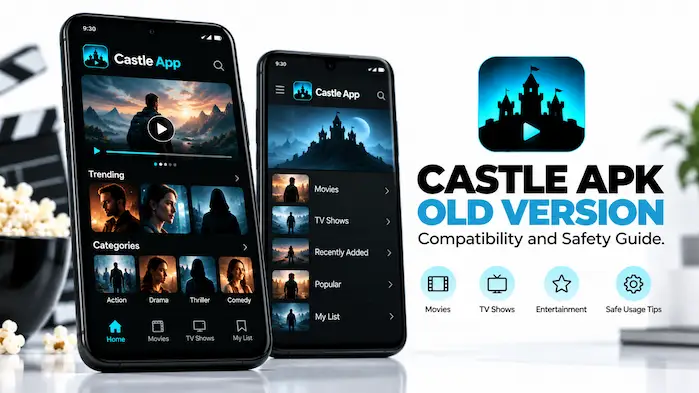
The Castle app focuses on entertainment content, including movies and shows. Visit our homepage to learn more about the app and its available information.
Why Do Users Look for an Older Castle Version?
Users may seek an older app for several reasons. An update might change the layout, cause a crash, or stop working on a device. Some people may also prefer a past version. However, going back to an old release does not always fix the problem. First, check whether a setting, device issue, or network error caused it.
App Problems After an Update
An update may cause errors on some devices. The app may close, freeze, or fail to load. Before looking for an older file, restart your device and check for another update from a trusted source. If the issue continues, note the error message and check whether the app supports your device.
Changes to the App Layout
Some users prefer an older layout. Yet, an older release may lack newer fixes or support. Check whether the current version offers settings that can change the way the app looks. Do not install an old file just because a website claims it has a better design.
Device Compatibility Issues
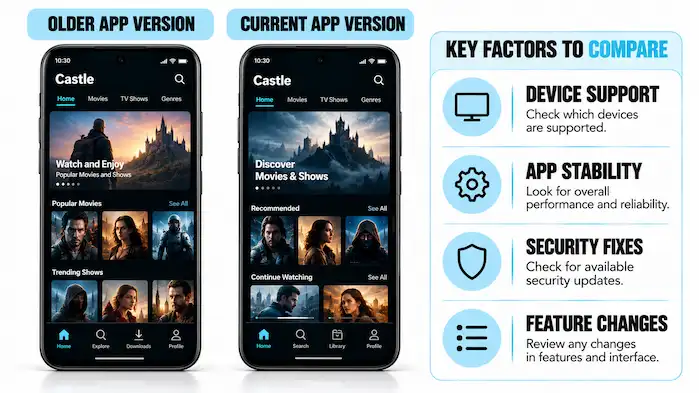
An older app may work on one device but fail on another. Android versions, hardware, and app needs can affect support. So, check your phone or tablet details before you try an older release. A file that worked on a past device may not work on your current one.
How to Check an Older Castle APK
Before you use an older APK, check the source and file details. Do not trust a file based on its name alone. A website may list an old version without proving that the file is real or safe.
Check the File Source
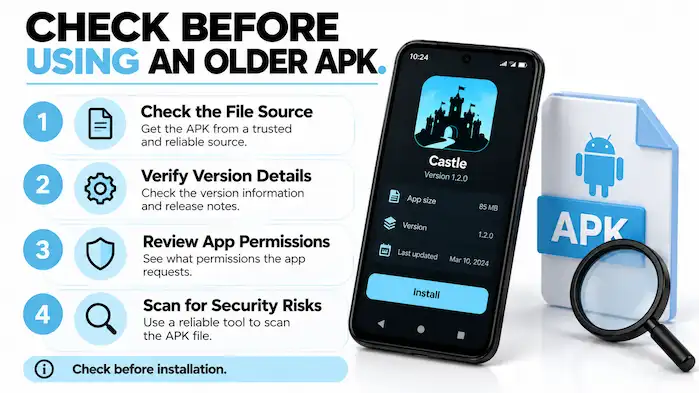
Look for clear details about the publisher and file source. Avoid sites with fake buttons, unclear ownership, or claims they cannot prove. If you cannot confirm where the file came from, do not install it.
Check the Version Details
Review any version number, release notes, and app details provided by a source you trust. Compare them with known information when available. Do not rely on a filename alone, since it can be changed. If the release details are missing, treat the file with care.
Check Device Support
Review your Android version and device model. Then compare them with the app’s stated needs, if those details are available. Check your free storage as well. If the app does not support your device, an older file may not solve the problem.
Before installing an app package, review the Castle APK download page for file-source checks and basic installation advice.
How to Install an Older Castle APK
Only consider manual installation if you can verify the file source and confirm that the app supports your device. An APK from an unknown site may put your data at risk. Follow these checks before you proceed.
Step 1: Review the File
Check the source, file name, and available release details. Do not open a file if the source seems suspicious or the information does not match. A familiar app name does not prove that the file is genuine.
Step 2: Check Your Device
Open your phone settings and find the Android version and device details. Make sure the file suits your device. Also, check that you have enough free storage.
Step 3: Review the Install Prompt
If your device shows an install prompt, read it before you continue. Check the app name and any permissions it requests. Stop if the details seem wrong or the app asks for access that does not fit its purpose.
Step 4: Test the App
If you complete the setup, open the app and check its main functions. If it crashes or shows errors, remove it and review the cause. Do not keep trying files from unknown sites.
Is It Safe to Use an Older Castle APK?
An older APK may carry more risk than a current release. It may lack security fixes, contain known bugs, or come from an unsafe source. Some files may also have been changed by someone else. So, check the source and scan the file with a trusted security tool when possible. A scan can help, but it cannot prove that a file is safe.
Risks of Outdated App Files
Older releases may not receive fixes for new problems. They may also fail to work with current Android features. In addition, an unknown file could contain unwanted code. Avoid using old files for accounts or data that you need to keep safe.
Protect Your Personal Data
Review app permissions before you approve them. Do not share passwords or payment details with an app or website you cannot verify. Keep your device updated and remove apps you no longer use. These steps can help reduce the risk of unwanted access.
Common Problems with Castle Old Version
An older release can cause setup and playback problems. The cause may be an unsupported Android version, a damaged file, or an app error. Check the message on your screen before you make changes.
The Older Version Will Not Install
The file may not suit your device, or it may be incomplete. Check the Android version and available storage. If the system reports that the package is not supported, do not force the install. Find reliable details about compatibility first.
The App Keeps Crashing
Restart your phone and check for system updates. If the app still closes, it may not support your current device. You can clear the app cache if your phone offers that option. However, clearing app data may remove saved settings.
The App Runs Slowly
Close other apps and check your free storage. Restart your device and test your internet connection. If the problem remains, the old release may not work well with your current system.
The App Shows a Playback Error
Check your internet connection and try again. If the error continues, the app or content source may have a problem. Reinstalling an old file will not always fix playback issues. Avoid downloading another copy from an unknown site.
Should You Use an Older Castle Version?
That depends on why you want an older release. If the current app has a problem, first try basic fixes and check for a trusted update. An older version may lack fixes or stop working on your device. Only consider one when you can verify the file and understand the risks.
Possible benefits
- An older layout may suit some users.
- It may help with a specific issue if the release supports the device.
- It may behave differently from a newer release.
Possible drawbacks
- It may lack security fixes.
- It may fail on newer Android versions.
- The file may come from an unsafe source.
- Version details may be hard to verify.
- Some features may no longer work.
These are general points about older app releases, not claims about a specific Castle version.
Frequently Asked Questions
Where Can I Find Castle Old Version?
Check sources you can trust and look for clear release details. Do not install a file if you cannot verify its origin.
Is Castle APK Old Version Safe?
Safety depends on the file source, its contents, and its age. Older releases may lack fixes, so check the file and scan it when possible.
Why Will an Older Castle APK Not Install?
The file may not match your Android version or device. It may also be damaged or incomplete. Check the error message and device details.
Can an Older Castle Version Fix Crashes?
It may behave differently, but it may not solve the cause. Check your device, app settings, and available updates first.
Should I Update Castle to the Latest Version?
Use a newer release only when you can verify its source and check that it supports your device. Updates may include fixes, but results can vary.
Can I Use an Old APK on a New Phone?
Not always. The file must support your phone’s Android version and hardware. Check compatibility before you install it.
Conclusion
Castle APK Old Version may interest users who face update issues or prefer an earlier app layout. However, an old file can lack fixes and may not work on a newer device. Check the source, release details, and Android support before you install anything. If the current app has a problem, try basic fixes first. Avoid unknown files that put your device or personal data at risk.